소스코드 v2
import time

from type_score import send_score


# ================= 기준 문장 =================

TARGET_LINES = [

    "북원뜰 울려오는 역사의 진군",

    "설레는 가슴마다 이상을 품고",

    "세계의 너른 무대 나설 토대를",

    "닦아서 쌓으려고 여기 배운다",

    "끊임없이 쌓아서 그 이름 빛내리라",

    "원고 원고 우리 모교 원고 원고 우리 모교"

]


PROBLEM_ID = 1  # 문제 번호 (필요 시 변경)


# ================= 한글 자모 상수 =================

CHOSUNG = "ㄱㄲㄴㄷㄸㄹㅁㅂㅃㅅㅆㅇㅈㅉㅊㅋㅌㅍㅎ"

JUNGSUNG = "ㅏㅐㅑㅒㅓㅔㅕㅖㅗㅘㅙㅚㅛㅜㅝㅞㅟㅠㅡㅢㅣ"

JONGSUNG = [""] + list("ㄱㄲㄳㄴㄵㄶㄷㄹㄺㄻㄼㄽㄾㄿㅀㅁㅂㅄㅅㅆㅇㅈㅊㅋㅌㅍㅎ")


# ================= 한글 분해 =================

def decompose_hangul(text):

    """문자열을 자음·모음 단위 리스트로 변환 (공백 제외)"""

    result = []

    for ch in text:

        if '가' <= ch <= '힣':

            code = ord(ch) - 0xAC00

            cho = code // 588

            jung = (code % 588) // 28

            jong = code % 28

            result.append(CHOSUNG[cho])

            result.append(JUNGSUNG[jung])

            if JONGSUNG[jong]:

                result.append(JONGSUNG[jong])

        elif ch != " ":

            result.append(ch)

    return result


# ================= 자모 비교 =================

def compare_jamo(target, user):

    t = decompose_hangul(target)

    u = decompose_hangul(user)

    correct = sum(1 for i in range(min(len(t), len(u))) if t[i] == u[i])

    return correct, len(t)


# ================= 메인 =================

def main():

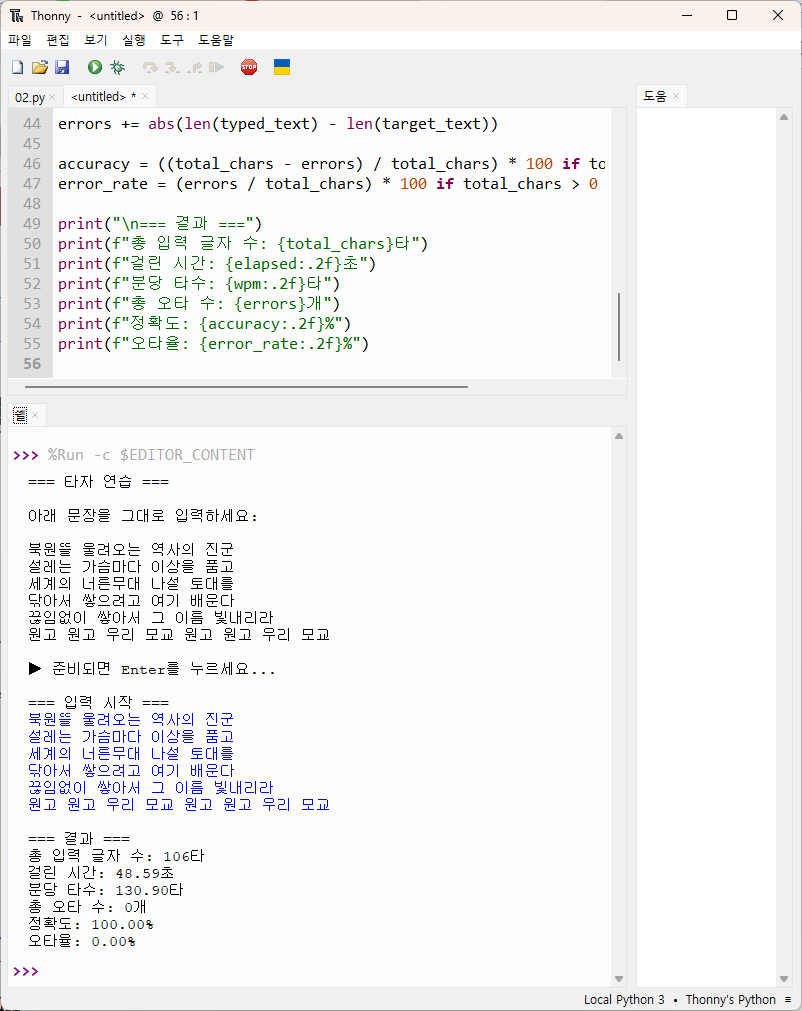
    print("=== 타자 검정 프로그램 ===")


    # -------- 학번 입력 --------

    while True:

        student_id = input("학번 5자리를 입력하세요: ").strip()

        if student_id.isdigit() and len(student_id) == 5:

            break

        print("❌ 학번은 숫자 5자리여야 합니다.")


    # -------- 엔터만 눌러서 시작 --------

    print("\n타자검정을 시작하려면 엔터만 누르세요.")

    while True:

        key = input()

        if key == "":

            break

        print("❌ 엔터만 눌러주세요. 다른 글자는 입력할 수 없습니다.")


    # -------- 타자검정 시작 --------

    total_correct = 0

    total_target_jamo = 0

    total_input_jamo = 0

    start_time = time.time()


    for idx, line in enumerate(TARGET_LINES, 1):

        print(f"\n[{idx}번 문장]")

        print("원문:",line)


        # 문장 입력 시간 측정

        line_start = time.time()

        user_input = input("입력: ")

        line_end = time.time()

        elapsed_line = line_end - line_start


        # 문장 단위 채점

        correct, target_count = compare_jamo(line, user_input)

        input_count = len(decompose_hangul(user_input))


        total_correct += correct

        total_target_jamo += target_count

        total_input_jamo += input_count


        # 문장 단위 정확도와 분당 타수

        accuracy_line = (correct / target_count) * 100

        typing_speed_line = (input_count / elapsed_line) * 60


        print(f"문장 정확도: {accuracy_line:.5f}%")

        print(f"문장 분당 타수: {typing_speed_line:.5f}")


    # 전체 계산

    elapsed = time.time() - start_time

    accuracy_total = (total_correct / total_target_jamo) * 100

    typing_speed_total = (total_input_jamo / elapsed) * 60

    final_score = typing_speed_total * (accuracy_total / 100)


    print("\n=== 최종 결과 ===")

    print(f"학번: {student_id}")

    print(f"총 분당 타수: {typing_speed_total:.5f}")

    print(f"전체 정확도: {accuracy_total:.5f}%")

    print(f"최종 점수: {final_score:.5f}")


    # -------- 점수 서버 전송 --------

    print("\n점수를 서버에 전송합니다...")

    send_score(student_id, PROBLEM_ID, final_score)


def run():

    while True:

        main()


        print("\n다시 하시겠습니까? (Y/N): ", end="")

        answer = input().strip().lower()


        if answer not in ("y", "yes", "ㅛ"):

            print("프로그램을 종료합니다.")

            break


if __name__ == "__main__":

    run()
|